
<img height="1" width="1" style="display:none" src="https://www.facebook.com/tr?id=1098061211415180&amp;ev=PageView&amp;noscript=1">
Skip to main content

🏄 Enterprise Guidance Platform

Connect Every Worker. Ensure No One Gets Left Behind.

The best way to capture and share know-how for both office and frontline teams.

A split-screen demonstration of the Knowby platform showing digital work instructions on a smartphone and a desktop tablet. The mobile view shows a physical machinery maintenance step, while the desktop view shows a guided SAP S4HANA software tutorial with interactive troubleshooting steps

90% ↑

⚡Faster Visual SOP Creation with Knowby AI

4 wks

💰 ROI Achieved

75% ↓

📉 Machine Downtime

More than screen capture – it's enterprise guidance.

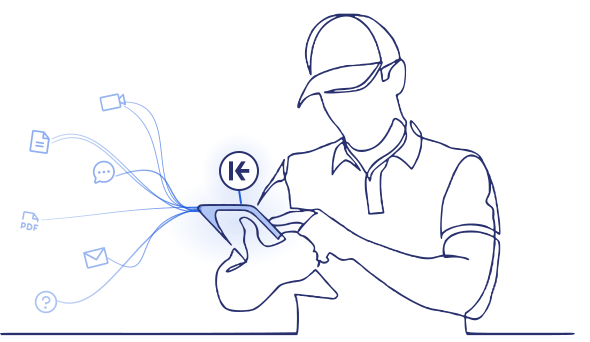
Knowby acts as a simple user interface for SOPs. It gathers data ready for you to integrate with other systems. Knowby doesn’t just guide people – it keeps a record of what happens.


Watch a 3 minute demo of the Knowby Enterprise Guidance Platform.

How does Knowby help you connect your workers?

Knowby helps your team record manual or on-screen processes or transform static documents into step-by-step guides, which can then be edited, translated, governed, and easily shared. Here’s how it works:

Capture

Record any process or use existing video or PDFs. Knowby’s AI transforms them into interactive, step-by-step guides.


Schedule

 Assign or schedule tasks to team members or partners. Add forms to steps for data capture and compliance.


Action

Users have access to know-how at the point of work. Record feedback through forms in steps or capture visual feedback.

Track

View exactly what’s been done through real-time reporting dashboards that keep your team aligned and your data accurate.

Integrate

Knowby acts as a simple user interface for SOPs and know-how that captures data and makes it available via email and webhooks.

Why do our customers love using Knowby?

From slashing SOP creation time to driving rapid software adoption, Knowby doesn't just simplify workflows—it delivers measurable results. Discover how our customers are reducing support tickets, minimizing downtime, and getting teams up to speed faster than ever.

Risk & Compliance

“We sent out lockers to 25 sites and didn’t get one question back on
how to put them together thanks to
the Knowby instructions.”

Jonathan Layton, Managing Director at Storco, explains how Knowby instructions eliminated assembly questions across 25 different sites.

Health and Safety

“It is especially good for teams with varying literacy issues or multi-lingual workforces where English isn’t their first language.”

Gavin Kenny, Head of Health & Safety at Opal, on using Knowby to support multi-lingual workforces and teams with varying literacy levels.

Quality Control

"We're ISO 9001 certified and Knowby has enabled us to keep our products going out the door at the same quality level."

Nick Langan, General Manager at M2 Overland, on how Knowby enables ISO 9001 certified quality control for product consistency.

Customer Service

“With Knowby, we're spending less of our resources and time managing that customer relationship.”

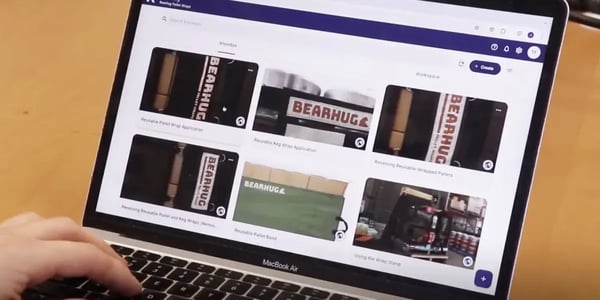
Tom Field, Founder of BEARHUG, sharing how Knowby reduces time and resources spent on customer relationship management.

I.T.

“Our service desk LOVES Knowby…it stopped all the dumb questions.

Knowby customer testimonial from an IT Department: How the platform stopped repeated questions by providing clear digital instructions.

Health & Safety

Our auditor said he’s never seen a more effective way to address gaps in health and safety instructions than Knowby.

Knowby HSE Manager testimonial: Highlighting the platform as the most effective way to address gaps in health and safety instructions for wineries.


Operations

“We ship our 4WD products Australia-wide. We have higher confidence that the install will go “as planned” with Knowby”

Derek Mansur, Managing Director of Bronco Built, discusses using Knowby for high-confidence 4WD product installations across Australia.

End user

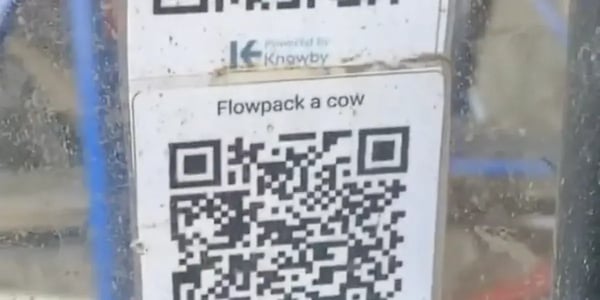
“Just scan the QR code and go through each step at your own pace, with explanations and videos on how to do it. Makes life so much easier, thank you!”

Cotecco operative testimonial: Explaining the ease of using Knowby QR codes for step-by-step video instructions at the point of work.

Digital Transformation

“Knowby takes away the need for all end users to know how to use complex systems - it’s a user-friendly layer that sits over the top"

Logistics customer review: Using Knowby as a user-friendly digital layer to simplify complex systems for fleet management staff.

Human Resources

Knowby gives junior staff confidence and a sense of belonging by providing know-how at their fingertips.

James Greenacre, Partner at Rosemount AG, sharing how Knowby provides junior staff with digital know-how and professional confidence.

Real stories. Real impact.

Click on the logos to read through the case studies of Knowby customers.
Knowby for Sales & Onboarding: Using BEARHUG as an example of how digital instructions streamline staff training and customer handovers. Knowby for Sales & Onboarding: Using BEARHUG as an example of how digital instructions streamline staff training and customer handovers.

SALES & ONBOARDING

Knowby for Instructions & IP: How Bronco Built protects institutional knowledge and intellectual property through digitized operational guides. Knowby for Instructions & IP: How Bronco Built protects institutional knowledge and intellectual property through digitized operational guides.

INSTRUCTIONS & IP

Knowby for Service & Support: Cotecco using digital SOPs to provide real-time field support and troubleshooting for technical equipment. Knowby for Service & Support: Cotecco using digital SOPs to provide real-time field support and troubleshooting for technical equipment.

SERVICE & SUPPORT

M2 Knowby for SOPs & After-Sales: M2 Overland utilizing digital manuals to enhance the customer after-sales experience and product maintenance.

SOPs & AFTER-SALES

Bearhug overcomes customer resistance to change with Knowby’s clear digital instructions.

As Tom explains in the case study, “We've seen a 30% increase in leads moving from samples to purchases.”

From customer-facing instructions to the source of truth for all operations.

Knowby has helped Bronco Built capture their IP through visual guides – adding significant value to the business.

Cotecco achieved a 90% reduction in remote call out with Knowby instructions.

The company needed a way to empower customer staff to handle routine tasks and minor troubleshooting on their own, without damaging the equipment.

For over two and a half years, Knowby has served as an indispensable tool for M2 Overland.

It has transformed their approach to health and safety, SOPs, after-sales support, and the maintenance of their ISO 9001 certification.

User-facing platform for your organisation.

The Enterprise Guidance Platform: Bridging the gap between complex systems and daily work.

Multilingual Know-how

Deliver interactive digital instructions to your global workforce in their preferred language, while capturing critical field data in real-time.

Contextual Guided Workflows

Transform static SOPs into dynamic, data-driven experiences that guide workers exactly where the work happens, supporting compliance.

Closing the Execution Gap

Bridge the gap between your organisation's high-level systems and the boots-on-the-ground daily actions of your people.

One Source of Truth

Turn tribal "know-how" into a smart UI that automatically guides tasks and records results simultaneously, eliminating manual reporting.

We've thought of everything!

Seamlessly manage and share your know-how with features like real-time updates, QR-code access, multilingual support, detailed logs, customisable branding, and many more…

Preview of the 'Record Clicks' feature, showing a red highlight over a UI button to demonstrate automated web interaction capture.

Cursor clicking a square frame icon

Record clicks

Instantly turn web interactions into visual step-by-step guides.

Illustration of the PDF upload interface, featuring a cloud upload icon and a 'Drag and Drop' zone for converting manuals into digital guides.

Document icon with a viewfinder frame

Capture PDFs

Use Manual PDF Capture Tool to extract steps directly.

Smartphone mockup displaying a medical training schedule with tasks labeled 'Completed Late' and 'Start Task' to show workflow management.

Blue calendar icon

Scheduling

Assign and schedule tasks to improve workflow.

Dropdown menu interface showing 'Email' and 'Webhook' options, illustrating how Knowby connects with other enterprise software.

Interlocking geometric shapes icon

Integration ready

Via email or webhooks.

A floating menu in the Knowby editor showing data collection options like 'Short answer,' 'Checkbox,' and 'Image upload' for user feedback.

Bullet point list icon

Form fields

Capture real-time data directly from the instruction.

Processing screen showing Knowby AI converting voice-over video into a structured step-by-step guide

Multimodal AI neural icon.

AI Instructions platform

Knowby uses multimodal generative AI to transform voice-over video into guides.

A laptop and smartphone side-by-side, both displaying the same visual guide of a warehouse environment to show responsive design

Laptop and mobile phone silhouette icon.

Multi‑Device access

Access and edit your guides on any device – desktop, tablet, or phone.

Interface showing an approval process with a list of assigned approvers and status indicators for quality control.

Checkmark approval status icon.

Approval workflow

Ensure quality by submitting guides for approval.

An instruction card featuring a welding robot and a scannable QR code for instant mobile guide access

QR code scanning icon.

Quick access

Instantly open guides by scanning QR-codes.

Language selection menu displaying multiple options including English, Spanish, and Japanese for global workforce support.

Global translation icon.

Multi-Language

Reach more people with multilingual support.

The Knowby guide interface shown in Dark Mode, featuring a video tutorial of a car underbody inspection

High-contrast theme toggle icon.

Dark mode

Give your eyes a break with an optional dark theme.

The step-by-step editor workspace showing a simplified layout for building instructions with a few clicks.

Quick-add plus icon.

Easy creation

Build step-by-step guides with just a few clicks.

Menu list showing customization options for colors, logos, compliance settings, and branded QR codes.

Brand customization palette icon.

Branding

Personalise your org with logos, colours, and QR codes.

Mobile downloads list showing saved guides for offline use, including handbooks and startup procedures

Cloud download accessibility icon.

Offline mode

Access guides anytime, with or without internet.

Timeline view of guide updates showing version history, dates, and the names of creators like John Ansley.

Version history rollback icon.

Versioning

Keep track of changes and revert when needed.

Market fit in all industries!

The Knowby platform is designed to meet the diverse needs of any industry and is already supporting customers across a wide range of sectors. View examples of instructions used across different industries.

SAP Ariba Invoice Management Solution
How to Share Screen on Google Meet
Procure to Pay - Create Purchase Requisition
How to Find Transaction Code from SAP Table
Recharging the gas in your car AC system
IKEA Poang Chair Assembly Guide
Essential Fire Extinguisher Guide
How to install outdoor roller blinds
>

Subscribe to Knowby!

Simple and transparent pricing.

Knowby Platform

$3

per User / per Month

Price in US dollars, plus applicable taxes

Enjoy all the features at a simple and affordable price.

  • Red arrow bullet point. Unrestricted knowby (instructions) creation
  • Red arrow bullet point. Unlimited sharing within your team
  • Red arrow bullet point. Custom organisation name
  • Red arrow bullet point. Public Knowby sharing (Beta)
  • Red arrow bullet point. Compliance tools
  • Red arrow bullet point. Feedback and analytics

Available on iOS, iPadOS, Android, and the web.

Frequently asked questions

Create, update, and share work instructions effortlessly. Streamline compliance and boost productivity with ease.
💰 How much does Knowby cost?

Knowby Pro is $3 per user per month, with no minimum user requirements. There’s a 30‑day free trial, with transparent pricing and no hidden fees or lock-in contracts.

🔮 How does Knowby create instructions using AI?
From Video to Step-by-Step Guide in Seconds

Knowby’s Video Intelligence uses advanced AI to turn your video with voiceovers into clear, bite-sized digital instructions automatically.

How the Magic Happens

Knowbys uses Multimodal Generative AI. Multimodal generative AI models can understand and generate content across multiple types of data, or "modalities" – such as text, images, audio, and video.

Knowby takes the original instruction format – e.g., a video with voiceover – and accurately converts it into step-by-step instructions based on the corresponding audio and visual input.

The process is simple:
1. Listen: Our AI converts the voiceover into accurate text - no hallucinations. 
2. See: Knowby’s custom-built Video Intelligence code analyzes the visual actions in the video.
3. Output: It blends the two together to generate a perfectly timed, step-by-step guide.

Why it Works: Brain-Friendly Learning

We didn't just build this for speed; we built it for the human brain. Our format is backed by Cognitive Load Theory, which suggests that people learn best when information is broken down into small, manageable pieces.

By stripping away the "noise" of a long video and providing focused steps, Knowby makes it nearly impossible for your team to miss a beat.

The Bottom Line

You record the process; Knowby builds the manual. It’s the fastest way to turn tribal knowledge into a professional library of training guides, work instructions and SOPs.
📝 Does Knowby AI write the copy in the instructions?

Yes, but only by transcribing and segmenting existing voiceovers or text from your source. It does not invent new copy. Knowby creates instructions based on what you supply.

Knowby is not designed to create instructions from scratch.
It transforms existing, approved materials (videos, PDFs, manuals, etc.) into a structured, step-by-step format.

Why? Because Knowby is widely used in health and safety, compliance, and training. These use cases require that instructions come verbatim from the original source. While steps can be enhanced post-creation, Knowby does not generate new copy or expand on the existing copy.

🔒 Are Knowby instructions secure from the public?

Yes. Knowby provides flexible visibility settings:

Public knowby: Viewable by anyone with the link; No login required; Search engine discoverable; Ideal for general tutorials or public-facing guides.

Private knowby: Only accessible to members of your organization; Login required; Suitable for internal or confidential content

Restricted (Team) knowby: Shared with specific teams within the organization; Login + team membership required; Perfect for SOPs, internal training, or department-specific workflows

🖥️ What technology does Knowby use to keep private knowbys secure?

Knowby uses enterprise-grade security protocols to protect private content at every level. Here's how your private knowbys stay secure:

✅ Data Encryption

  • All data is encrypted in transit (TLS 1.2 or higher) and at rest using AES-256 encryption standards.
  • This includes media files, step text, and any associated metadata.

✅ Authentication & Access Control

  • Knowby uses secure authentication protocols (e.g., OAuth 2.0, SSO support) for login and team-based access.
  • Content access is role-based, ensuring only authorized users or teams can view or edit private knowbys.

✅ Secure Cloud Infrastructure

  • Knowby is securely hosted on Google Cloud Platform (GCP), with data residency in Australia (Sydney and Melbourne).
  • GCP is a world-leading cloud provider, offering advanced security, encryption, and compliance with international standards including ISO 27001, SOC 2, and GDPR.

✅ Audit Logging & Activity Tracking

  • Knowby automatically tracks and records key user activity – such as logins, content creation, edits, approvals, and deletions – to support transparency, security, and compliance. Knowby can provide detailed records upon request to assist with reviews, investigations, or reporting needs.

✅ Content Privacy by Design

  • Knowby adheres to privacy-by-design principles: no data scraping, no AI training on your content, and no public indexing of private knowbys.
  • Only members of your organization – or specific teams, if restricted – can access private or internal instructions.
📈 AI-Powered Know-How Interface Connecting Every Worker to Your Organisation

Provide digital instructions to those who need them in their own language while supporting data capture. Knowby turns work into guided, data-driven experiences—where work happens.

An Enterprise Guidance Platform is the missing link between your company’s complex systems and your people’s daily actions. It turns your organisation's 'know-how' into an interactive, AI-powered UI that guides work and records results simultaneously.


Request a Demo from Our Team

Fill in the form below and a member of our team will contact you shortly.

Want to make your life easier?

Save time, stay compliant, and boost productivity with short, simple, smart guides.