Construction work instruction Software
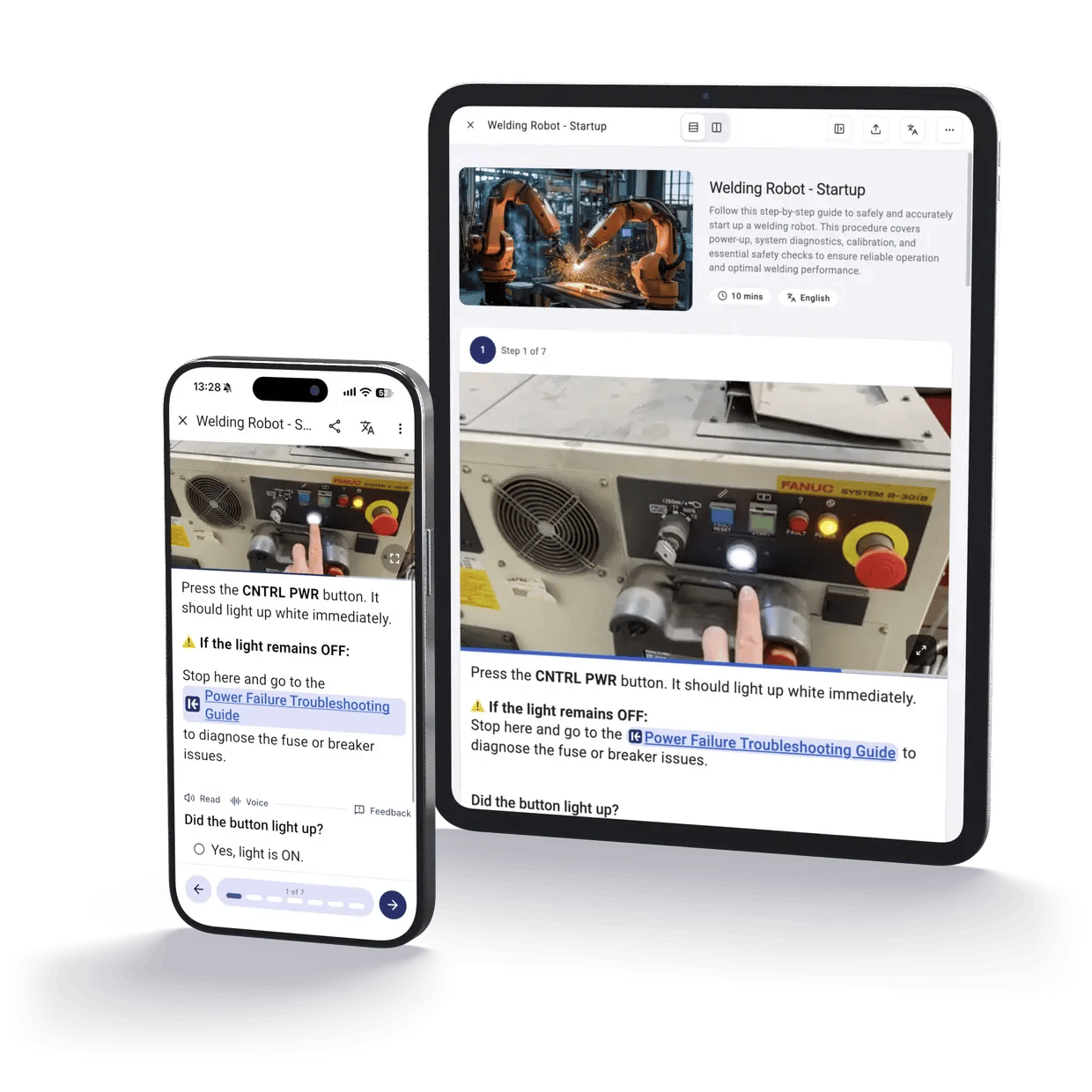
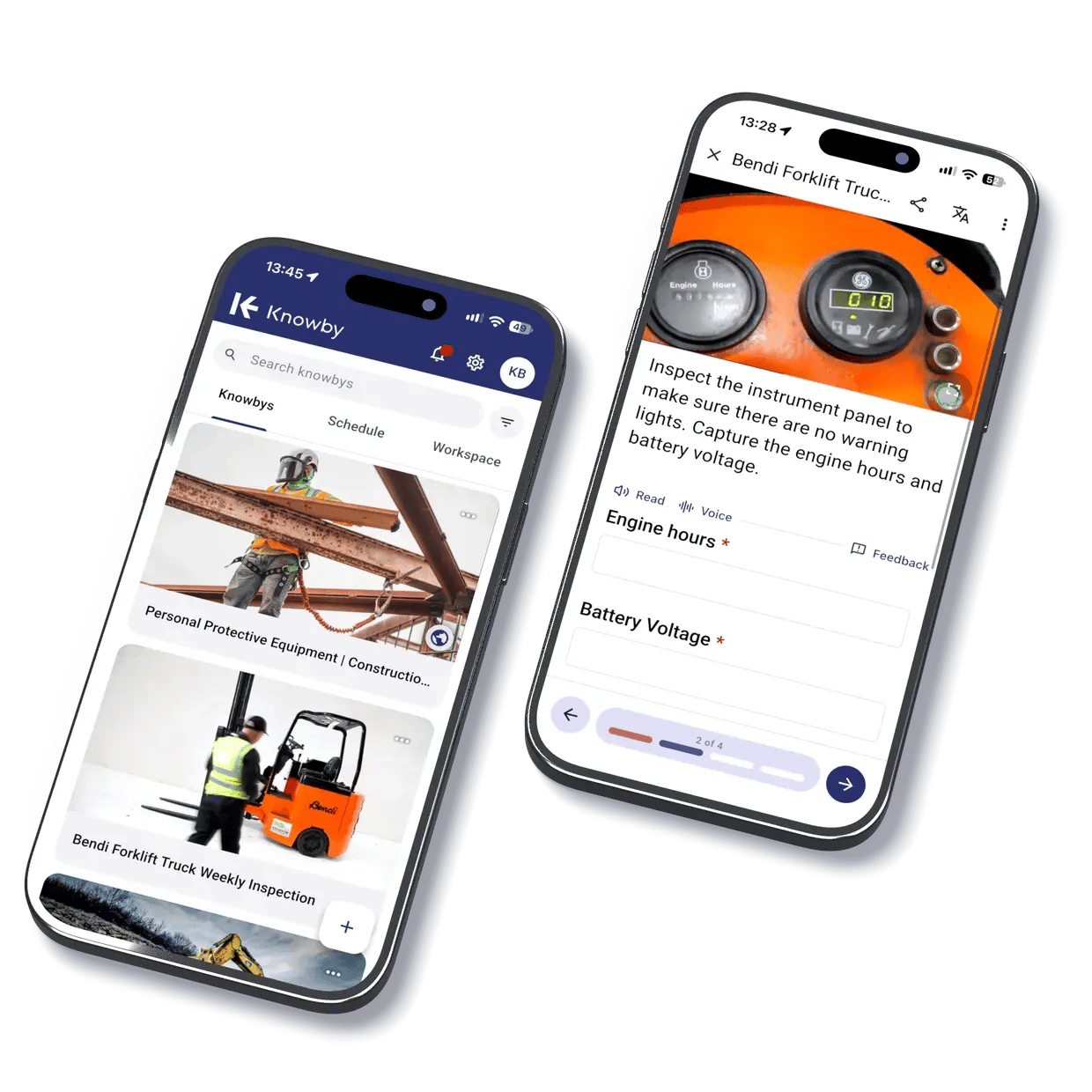
Knowby turns tribal knowledge into visual construction work instructions in minutes. Put them on site with a QR code, so every crew cuts rework, inducts faster, and builds it right the first time.
4.7/5 on G2 · Trusted by teams in 20+ countries

Trusted by safety, operations, and training teams




























When instructions live at the point of work, teams stop guessing and supervisors stop repeating themselves.

Opal
Clear in any language
“It is especially good for teams with varying literacy issues or multi-lingual workforces where English isn’t their first language.”
 Gavin KennyHead of Health & Safety, Opal


Bearhug
30% more samples turn into sales
“We’ve seen a 30% increase in the amount of leads who go from receiving a sample to purchasing.”
 Tom FieldFounder, Bearhug


M2 Overland
8 hours, not 2.5 months
“We’re ISO 9001 certified and Knowby has enabled us to keep our products going out the door at the same quality level.”
 Nick LanganGeneral Manager, M2 Overland


Storco
75% less machine downtime
“Incorrect start-ups of machinery could cost us a lot of money and this is minimised with the use of Knowby.”
 Jonathan LaytonManaging Director, Storco


Rosemount AG
Farm work like clockwork
“Our farm runs like clockwork because Knowby helps us turn complexity into simplicity.”
 James GreenacreEquity Partner, Rosemount AG

 Verified review
Compliance from the first step
“Simplicity at its best! … Allowing Transmag UK to ‘front end’ ‘user compliance’ on a high voltage electrical safety product for substation entry.”
Verified reviewUpdate once. Same QR code.
“The ability to have instructions at point of task, to live update without changing QR code, and I’ve shared easy instructions internationally via QR code.”
Verified reviewNo step gets skipped
“New staff feel more capable to perform their tasks … Mandatory steps mean that no instructions are skipped over for compliance and OHS reasons.”
Verified reviewFaster, more confident onboarding
“We have streamlined the onboarding of new staff. … Staff are getting onboarded a lot faster and with more confidence.”
Verified reviewRecord it once, get the guide
“I find it great that I can start by just recording my screen as I perform the tasks, and then it does the rest to produce the supporting written guides.”
Verified reviewEffortless from day one
“It’s absolutely effortless to use. The setup steps are straightforward and quick to create, updates happen instantly, and our staff genuinely enjoy using it.”
Verified reviewEnterprise-class. Affordable.
“Well-Designed Enterprise-Class Platform, Ridiculously Affordable”
Verified reviewScan. Follow. Done.
“Knowby handles all our base instructions for tenants by using laminated QR codes they can scan.”
Construction safety today
48%
of construction safety leaders aren’t confident their training prepares workers enough to work safely.
J. J. Keller & ASSP, 2025 Construction Industry Safety Challenges
We’ll map Knowby to your crews, equipment and safety procedures in a live walkthrough.
 Live walkthrough with a real system
Answers to your specific site questions
No pressure, no obligation

