⚡︎ Knowby Screen capture
Most screen capture software gives you an image or a video file, then leaves you to do the rest. Knowby captures your screen and turns it into a finished, step-by-step guide automatically, so the work you do once can train an entire team.
Fast, click-by-click documentation software.

Most screen capture software stops at the screenshot or the recording. Once you've captured your screen, you're on your own, cropping images, adding arrows and callouts, arranging steps in the right order, and writing up instructions from scratch before anyone else can actually use what you captured. For a one-off screenshot, that's manageable. For anything you need to turn into real documentation or training, it adds up fast.
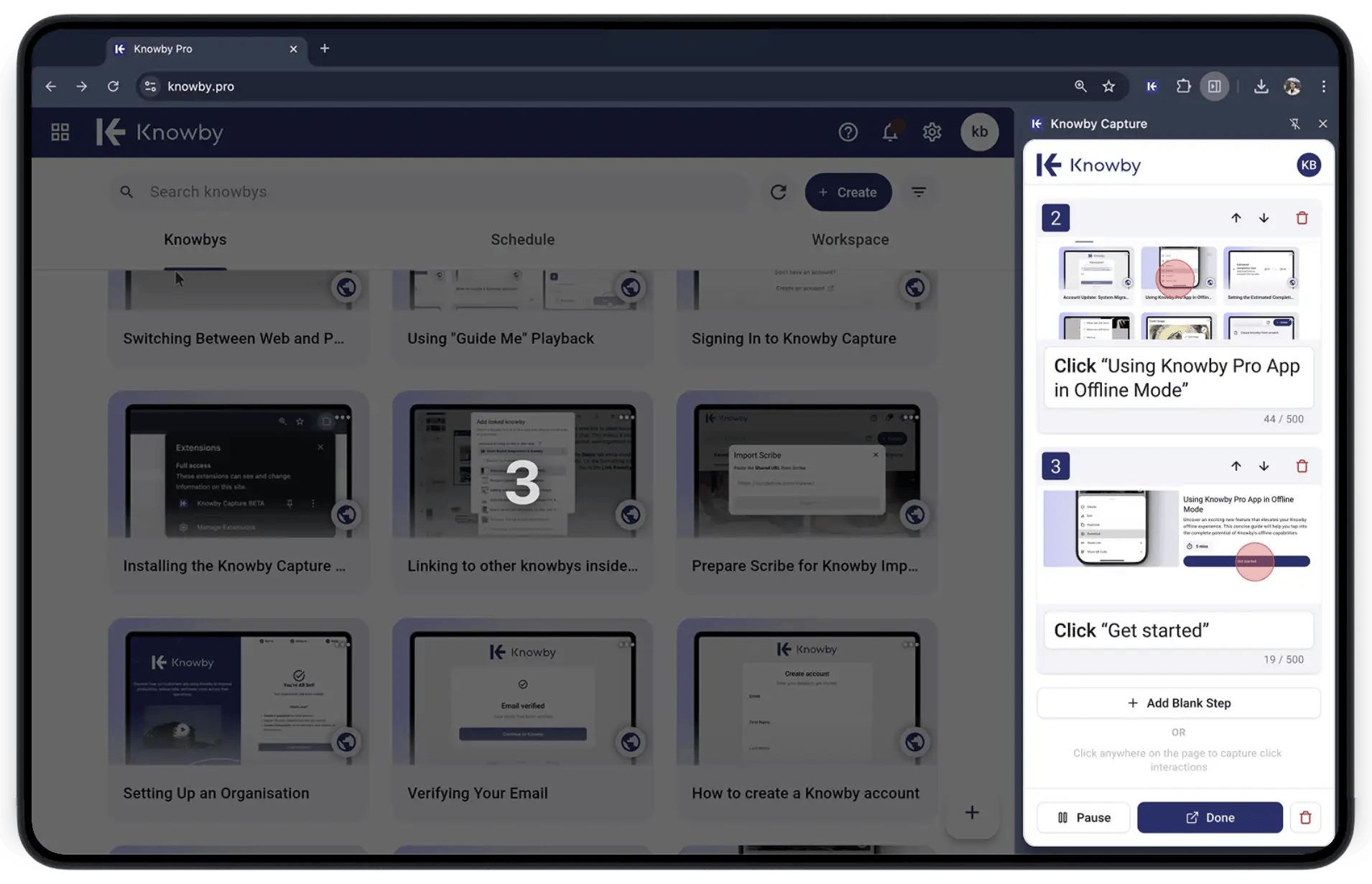
Knowby skips that manual process entirely. As you work, it captures every click and automatically turns it into a structured, editable guide—steps, screenshots, and work instructions already in place, no extra formatting required. What used to take an hour of cleanup after the fact now happens in real time, while you're still working.
Start recording and work normally. Knowby tracks each click and turns it into a visual instruction guide in real time.
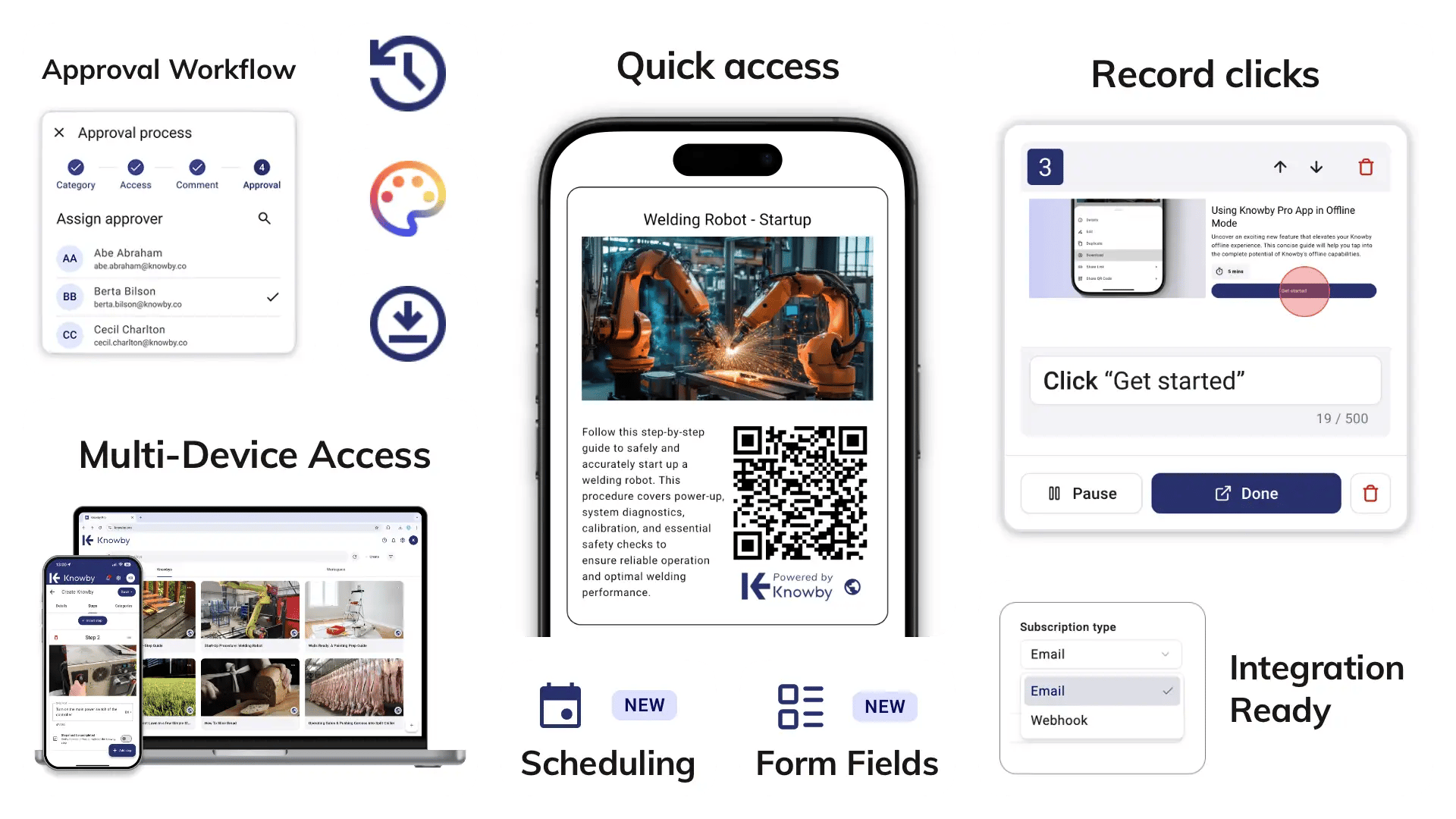
Right-click any PDF in your browser to pull screenshots and text straight into your guide—no more SOPs trapped in static documents.
Add form fields to guides to capture field data in real time, and connect to other tools via email or webhooks.
View your guide next to your live work instead of switching tabs. Built for training on complex software or new workflows.
Auto-translate or verify guides for global teams, so every worker gets instructions in their own language.
Distribute instructions through intranets, embeds, or a scanned QR code—no searching required.
Track changes and route guides through approval workflows to keep documentation accurate and audit-ready.
Knowby Capture is utilised across diverse sectors to create visual standard operating procedures (SOPs) and software workflows:
Creating SOPs and equipment guides on the shop floor.
Documenting software workflows and internal tools.
Building product walkthroughs and troubleshooting guides.
Knowby believes instructions shouldn't be a luxury. That's why we keep it simple and affordable.
| Knowby |
| Connect every worker, everywhere |
| $5 / user / month |
| ✔️ Screen capture & PDF capture |
| ✔️ 140+ language auto-translation |
| ✔️ QR code, link & embed sharing |
| ✔️ Approvals & access control |
| ✔️ Version history & change log |
| ✔️ Works for desk & field workers |
| ✔️ Transparent, simple pricing |
Get your 30-day free trial. No credit card required.
| Knowby Enterprise Pricing |
| (Yes it's the same price!) |
| $5 / user / month |
| ✔️ Screen capture & PDF capture |
| ✔️ 140+ language auto-translation |
| ✔️ QR code, link & embed sharing |
| ✔️ Approvals & access control |
| ✔️ Version history & change log |
| ✔️ Works for desk & field workers |
| ✔️ Transparent, simple pricing |
Get your 30-day free trial. No credit card required.
No setup. No training. Create a Knowby guide in three simple steps.
Click Record in the Knowby Chrome extension, then go about your task.
Guides are generated instantly; tweak text, reorder steps, or add screenshots.
Publish via link, QR code, or embed, with translation and tracking built in.
| Feature |
|
ShareX |
Screenpresso |
OBS Studio |
|||
|
Output |
Step-by-step guide |
Annotated screenshot guide |
AI-narrated video + text guide |
Screenshot/ video for editing |
Screenshot/ screen recording |
Screen recording |
|
Auto-generates steps from clicks |
Yes |
Yes |
Yes (video steps) |
Yes |
No |
No |
No |
|
PDF capture & conversion |
Yes |
Yes (for Pro and Enterprise) |
Yes |
Yes |
No |
Yes |
No |
|
Multilingual translation |
Yes (140+ languages) |
Limited |
Yes |
Limited |
Yes |
No |
No |
|
Free option |
30-day free trial |
Yes, limited |
Yes, limited |
15-day free trial |
Yes, free & open source |
Yes, free tier |
Yes, free & open source |
|
Best for |
Team SOPs, training & compliance |
Internal SOP libraries |
Customer-facing video tutorials |
Screenshot editing & annotation |
Quick, free screenshots |
Lightweight screenshots |
Live streaming & video recording |
|
Pricing |
$5/user/month |
Free; Pro Personal $25/mo, Pro Team from $12–15/user/mo (5-seat min) |
Free; Pro from $19/creator/mo, Business up from $39/creator/mo |
$39–48/year/user (subscription only) |
Free |
Free tier; Pro $29.99, Enterprise $2,190, one time purchase |
Free |
Add Knowby Capture to Google Chrome and start turning your workflows into professional guides immediately.