

Guidde Pricing: Is It Worth the Digital Investment?

Post by
John Ansley
April 29, 2026
April 29, 2026
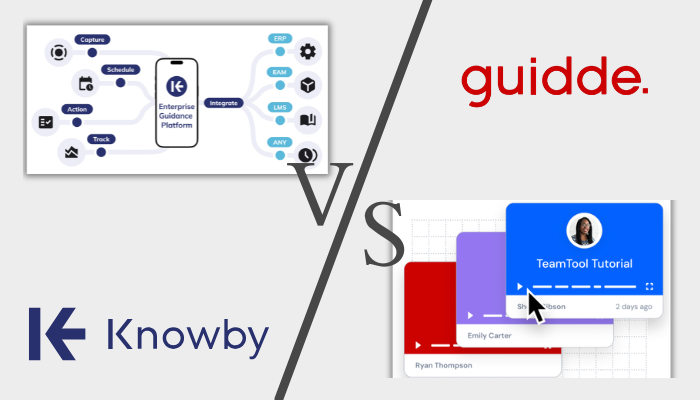
Guidde is an AI-powered documentation platform designed to help teams quickly create video-based process guides. It focuses on turning screen recordings into tutorials with voiceovers, annotations, and step-by-step instructions.
For teams in customer success, sales enablement, and internal training, Guidde promises a fast way to produce professional-looking guides without heavy manual work.
But if you’re trying to understand how much it costs or whether it’s the right long-term investment, things get more complicated.
In this article, we’ll break down Guidde’s pricing, what you actually get, and whether it’s worth it for your team.
It felt like the tools were built more for marketing pages than for people actually doing real work day to day.
The Challenge with Guidde’s Pricing Model
Guidde’s pricing is clear on the surface, but less predictable as your team grows.
Here’s the basic structure:
- Pro plan: ~$29 per creator/month
- Business plan: ~$59 per creator/month
- Enterprise: custom pricing
At first glance, this looks straightforward. But the key detail is this:
*Guidde charges per creator, not per viewer.
What this means in practice
If you have:
- 5 creators → ~$145–$295/month
- 10 creators → ~$290–$590/month
- 20 creators → ~$580–$1,180/month
For teams where multiple people need to document processes, costs scale quickly. This is especially relevant for IT, support, and operations teams.
📌 Unlike platforms that price based on usage or total users, Guidde becomes more expensive the more people contribute content.
What Users Are Saying About Guidde
Users like Guidde's simple editor, AI voiceovers, and annotations, ultimately reducing the time they spend editing guides. One Reddit discussion comparing documentation tools notes that Guidde enables users to just: "Simply click 'Record,' complete the task, and Guidde produces a polished video with annotations and narration."
But it's not without its issues. Another Reddit thread on AI documentation tools like Guidde and Scribe notes that the workflow often breaks—there are missed clicks, wrong voiceovers, weird AI summaries, and no control when something goes wrong.
“It felt like the tools were built more for marketing pages than for people actually doing real work day to day.”
Another area for improvement, as pointed out by a Product Hunt reviewer, is their pricing clarity. At the moment, Guidde doesn’t have a standardised Enterprise pricing; potential customers can only get a number by contacting Guidde directly.
This aligns with a broader pattern in user feedback:
- AI saves time, but can overcomplicate simple workflows
- Editing is often still required
- Outputs aren’t always as clean as they first appear
Overall, feedback highlights a mix of strong capabilities and practical limitations.
Where Guidde Delivers Value
Its AI-driven workflow turns what used to be a 30-minute documentation task into something you can finish in just a few minutes. You simply record your screen, go through the process once, and the platform automatically generates a full guide with voiceover, step-by-step instructions, and visuals. For teams that need to produce a lot of content quickly, this removes a huge amount of manual work and makes documentation feel far less like a chore.
Guides can be sent as public links without requiring users to log in, embedded directly into tools like Salesforce or Zendesk, or exported into formats like MP4, GIF, PDF, or PPT.
On top of that, Guidde’s Broadcast feature pushes content even further by displaying guides inside the apps your team already uses. It can even suggest relevant tutorials based on the page someone is viewing, which makes the experience feel more contextual and immediate rather than something users have to search for.
Where Guidde Falls Short
However, similar to all other platforms, there are limitations when it comes to using Guidde as a digital adoption platform.
Video-based documentation can be hard to maintain
Guidde relies heavily on video. That becomes a problem when interfaces change, buttons move, and workflows update. Even small UI changes can make guides look outdated. And unlike step-based documentation, you often need to re-record the entire video. For teams with dozens or hundreds of guides, this creates a serious maintenance burden.
No approval workflows
Guidde allows creators to publish instantly. There’s no built-in review process, approval layer, or content governance. In practice, this can result in mistakes going live immediately or sensitive workflows being shared unintentionally.
No feedback or completion tracking
Guidde shows that people viewed a guide. But it doesn’t show if they completed the process or if they got stuck. There are also no feedback forms, completion tracking, or step validation. Teams could be missing the connection between training and real outcomes.
No mobile app or offline access
One clear limitation of Guidde is its lack of mobile and offline access. For frontline workers, reliable connectivity isn’t always a given, so having tools that work on mobile devices and without the internet is critical. Guidde, however, is limited to a browser and desktop app. That makes it difficult to use in field environments, on-site operations, or any situation where teams aren’t sitting at a desk with stable internet. In those cases, access to documentation becomes inconsistent, which can slow down work instead of supporting it.
Limited version control
Another gap shows up in version control. While you can revert to a previous version, there isn’t a clear, detailed history of changes. You don’t get full visibility into who made updates, what exactly was changed, or when those changes happened. For teams that rely on audit trails, compliance, or strict process tracking, that lack of transparency can quickly become a problem.
Meet Knowby, a More Predictable Alternative to Guidde
If pricing predictability and operational control are priorities, Knowby offers a different approach as one of Guidde alternatives.
Here’s a quick comparison:
|
Feature |
Guidde. |
Knowby |
|
Pricing Model |
Per creator ($29–$59/month) |
~$5/user/month |
|
Pricing Transparency |
Partial |
Clear, upfront |
|
Content Format |
Video-first |
Step-based (photo + video) |
|
Maintenance |
High (re-record videos) |
Low (edit individual steps) |
|
Approval Workflows |
❌ |
✅ |
|
Feedback & Forms |
❌ |
✅ |
|
Completion Tracking |
❌ |
✅ |
|
Mobile App |
❌ |
✅ |
|
Offline Mode |
❌ |
✅ |
|
Version Control |
Limited |
✅ |
*Here’s a more detailed comparison of Knowby vs Guidde if you want to learn more.
All registered trade marks, company names and brand names used on this website are the property of their respective owners. Information on product features and pricing are taken directly from the vendor's website, marketing materials and/or customer research. Features and prices may change. Check with the vendor for the latest pricing. Please contact us to report any corrections.
Please note that while both platforms offer a range of features, the specific implementations and user experiences may vary. It is recommended to explore each platform's offerings in detail to determine the best fit for your organisation's needs.
Please note that while both platforms offer a range of features, the specific implementations and user experiences may vary. It is recommended to explore each platform's offerings in detail to determine the best fit for your organisation's needs.
💡 Why Teams Consider Switching
If your team is looking for a Guidde alternative that delivers similar core capabilities while adding more control and flexibility at a much lower cost, Knowby is worth considering. It covers the essentials of creating and sharing guides but goes further by making those processes easier to manage, maintain, and scale across real operational environments.
- Predictable, scalable pricing - Knowby charges per user, not per creator, making it easier to forecast costs and scale to teams.
- Easier to maintain documentation - Instead of re-recording videos, you can update a single step, replace one image, and keep guides current with minimal effort.
- Built for real operations - Knowby focuses on execution, not just creation. Users can complete tasks, submit feedback, and track progress, which makes it suitable for compliance-heavy industries and field-facing environments.
"The cost of Knowby is very, very affordable. The value that we get out of the back end of Knowby as a company from our procedures and administration right through to after sales and the invoices that we pay at the end of the month, it's next to nothing compared to what we've what we're doing in other areas"
Empower your team with the right knowledge using Knowby
Knowby helps teams move beyond just creating guides and actually put knowledge into practice and share it. With transparent pricing, step-based documentation, and features designed for real workflows, it offers a more predictable and manageable approach to digital adoption. Instead of constantly reworking content or wondering if processes are being followed, teams can keep instructions up to date, track progress, and continuously improve how work gets done.
If you’re evaluating Guidde pricing in 2026, it really comes down to your priorities. Guidde is a strong option for fast, AI-driven content creation. But if you need a platform that supports execution, feedback, and long-term scalability, a more structured solution like Knowby may be the better fit.

Comments