

Mobile Knowledge Management Tools for Factory Teams

Post by
John Ansley
September 7, 2026
September 7, 2026
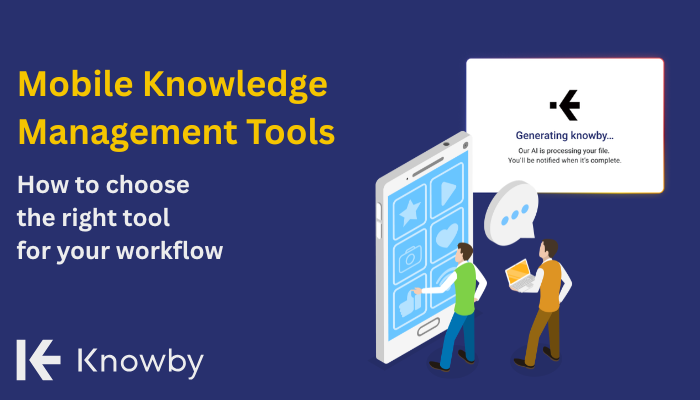
Your shift supervisor just retired. That 30-year veteran took decades of machinery know-how out the door with them. Sound familiar? Manufacturing operations lose critical tribal knowledge every time an experienced worker leaves, and tracking down the right procedure during a breakdown shouldn't involve calling three people or digging through filing cabinets.
Mobile knowledge management tools give factory teams instant access to SOPs, troubleshooting guides, and training content right where the work happens. But with so many platforms on the market, finding one that fits your frontline workforce takes more than a quick demo.
This guide walks you through the essential criteria for evaluating mobile knowledge management tools built for manufacturing environments. You'll learn what to prioritise, what questions to ask vendors, and how to avoid the common pitfalls that derail digital adoption on the factory floor.
Key Takeaways: How to Choose Mobile KM Tools for Factory Teams
- Mobile-first design with offline access is non-negotiable for factory floor adoption where connectivity varies across shifts and locations.
- QR code access and visual instructions reduce friction for deskless workers who don't have time to search through folders.
- Multilingual support matters when your workforce speaks multiple languages and literacy levels vary across teams.
- Approval workflows and version control keep your SOPs audit-ready and eliminate confusion about which procedure is current.
Why Factory Teams Need Purpose-Built Mobile Knowledge Tools
Generic document management systems weren't designed for the factory floor. SharePoint and Confluence work fine for office teams, but they fall short when a maintenance technician needs instructions while standing in front of a broken machine.
Frontline manufacturing workers face unique challenges. They often lack company email addresses or dedicated workstations, yet must still navigate traditional knowledge systems bulit for someone else's workflow. Connectivity can also drop in certain areas of the plant, even though these teams need answers in seconds, not minutes.
According to research on deskless communication, traditional intranets are desktop-first and built for knowledge workers, while frontline communication tools are mobile-first, designed for workers without desk access, and optimised for speed and simplicity.
Essential Features of a Mobile Knowledge Management Tool
Manufacturing-ready tools handle the real conditions your workers face. Low-bandwidth environments, gloved hands, noisy production areas, and workers who need answers without sitting down to type a search query.
A tool that requires constant internet connection fails during network outages, exactly when documented procedures matter most. One that relies on lengthy text documents doesn't help workers who need visual guidance or speak different primary languages.
Offline Access and Why It Matters for Factories
Offline access means your workers can view instructions, SOPs, and troubleshooting guides even when internet connectivity drops. In manufacturing environments, this happens more often than IT departments realise. Production floors often have connectivity dead zones near heavy equipment. Basement storage areas, remote warehouse sections, and areas with significant metal infrastructure can all interfere with wireless signals.
QR Code Access: Speed Up Knowledge Retrieval
QR codes eliminate the search barrier. A technician walks up to a machine, scans the code, and immediately sees the relevant procedures. No typing, no scrolling through folders, no guessing which document applies. This approach works particularly well in manufacturing because procedures are often equipment-specific.
QR codes also support just-in-time learning. Workers access training content exactly when they need it, which research shows improves retention compared to classroom training sessions disconnected from actual work.
Multilingual Support
Manufacturing workforces increasingly include speakers of multiple languages. Look for platforms with built-in translation capabilities. The difference between manual translation (expensive and slow) and instant translation (efficient and scalable) is significant when you're maintaining hundreds of SOPs.
Knowby supports instant translation into over 140 languages, making it practical to deliver consistent instructions to multilingual teams without maintaining separate document libraries for each language. This capability helps teams with varying literacy levels access knowledge in their preferred language.
Visual Instructions Capability
Visual SOPs combine images, short video clips, and concise text to guide workers through each step. This format reduces errors because workers can visually confirm they're following the correct procedure.
Cognitive Load Theory suggests that people learn best when information is broken down into small, manageable pieces. By stripping away lengthy documentation and providing focused steps, visual guides make it nearly impossible for workers to miss critical details.
Approval Workflows for Compliance Requirements
Regulated manufacturing environments need more than a shared folder. ISO certifications, safety compliance, and quality standards require documented approval processes and version control. Approval workflows ensure that SOPs go through proper review before workers can access them. Version control maintains a complete history of changes, showing auditors exactly when procedures were updated and by whom.
Analytics
Analytics reveal whether your knowledge management investment is working. Without usage data, you're guessing about adoption rates and content effectiveness. Key metrics to track include which procedures get accessed most frequently, which workers engage with the platform, and where retrieval failures occur (searches that don't return helpful results). These insights help you identify gaps in your knowledge base and prioritise content creation. If technicians keep searching for a procedure that doesn't exist, that's your signal to create it.
AI-Powered Content Creation
AI-powered platforms convert existing content into structured guides. A voice-over video becomes step-by-step instructions. A legacy PDF transforms into an interactive mobile-friendly format.
Knowby uses multimodal AI to transform videos and PDFs into clear step-by-step guides automatically. The platform listens to voiceovers, analyses visual actions, and generates perfectly timed instructions without inventing new content or introducing inaccuracies.
Choosing the Right Mobile KM Tool for Your Factory
Selecting a mobile knowledge management tool for factory teams requires looking beyond marketing claims. Prioritise mobile-first design, offline access, visual content support, multilingual capabilities, and approval workflows that match your compliance needs.
Test platforms with your own content and your actual workers. Demo environments optimised for sales presentations don't predict real-world performance on the factory floor.
Seamless Knowledge Sharing with Knowby
Knowby is built to capture and share know-how for both office and frontline teams. The platform turns tribal knowledge into professional libraries of training guides, work instructions, and SOPs.
Knowby delivers step-by-step visual guides with AI-powered SOP creation and instant translation into 140+ languages at $5 per user per month.
Knowby gives manufacturing teams a straightforward path to capturing and sharing know-how at an accessible price point.
-
Factory teams use Knowby's mobile app to access visual step-by-step guides via QR codes at the point of work. Workers scan a code on a machine and immediately see relevant procedures in their preferred language, even without internet connectivity.
-
The platform's AI-powered content creation reduces SOP development time by up to 90%. Subject matter experts record a process, and Knowby transforms that recording into structured, editable instructions ready for approval workflows.
-
Knowby is priced at $5 per user per month with no minimum user requirements. One price includes every feature for every team size with no tiers or locked capabilities. That predictability helps manufacturing operations budget accurately.
Real Manufacturing Results with Knowby
M2 Overland uses Knowby to transform their approach to health and safety, SOPs, after-sales support, and maintenance of their ISO 9001 certification.
FAQs About Mobile Knowledge Managament
-
What is a mobile knowledge management tool for manufacturing?
A mobile knowledge management tool is software that captures, organises, and delivers operational know-how to factory workers via smartphones or tablets. These platforms store SOPs, troubleshooting guides, and training content in formats accessible at the point of work. Knowby makes this knowledge instantly accessible through QR codes and offline-capable mobile apps.
-
Why is offline access important for factory floor knowledge tools?
Offline access ensures workers can view procedures during network outages or in connectivity dead zones. Many factory areas have unreliable wireless signals due to metal infrastructure or heavy equipment.
-
How does QR code access improve SOP adoption in manufacturing?
QR codes eliminate search friction by connecting specific procedures to specific equipment. A technician scans the code on a machine and immediately sees relevant instructions without typing or browsing folders.
-
What should I look for in mobile KM tool analytics?
Look for usage tracking that shows which procedures get accessed, which workers engage with content, and where searches fail to return helpful results. These insights help identify knowledge gaps and prioritise content creation. Knowby's analytics dashboard tracks engagement and training completion in real-time.
-
How long does it take to implement a mobile KM platform in manufacturing?
A realistic implementation takes 8 to 12 weeks for mid-sized plants. This includes scoping, content migration, pilot testing, expansion, and establishing governance. Rushing the timeline risks low adoption and incomplete knowledge capture.
Comments